This function is only available in Germany. Ensure that in your "Site information" you have chosen Germany as the country.
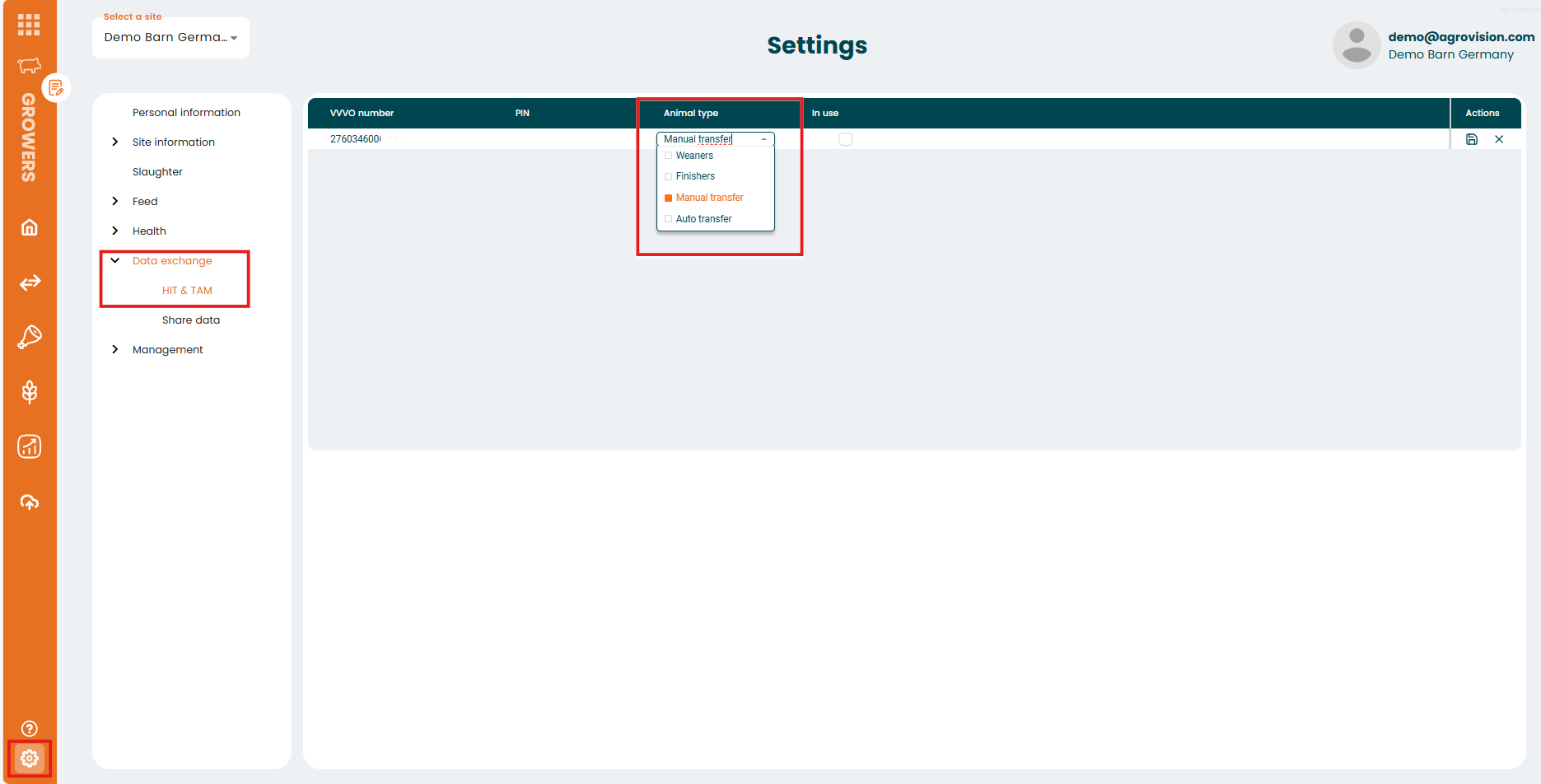
Go to the settings menu and choose Data exchange -> HIT & TAM
Enter your VVVO number, your Pin, select an animal type and select "In use" and save your entry by clicking the icon at the end of the row.
You can choose between the following animal types you want to report:
"Weaners" -> everything will be reported as Weaners <30 kg"
"Finishers" -> everything will be reported as Finishers >30 kg"
"Manual transfer" -> animals will be categorized, based on their entry weight. If a change is wanted, a stocktake with the actual weight needs to be done
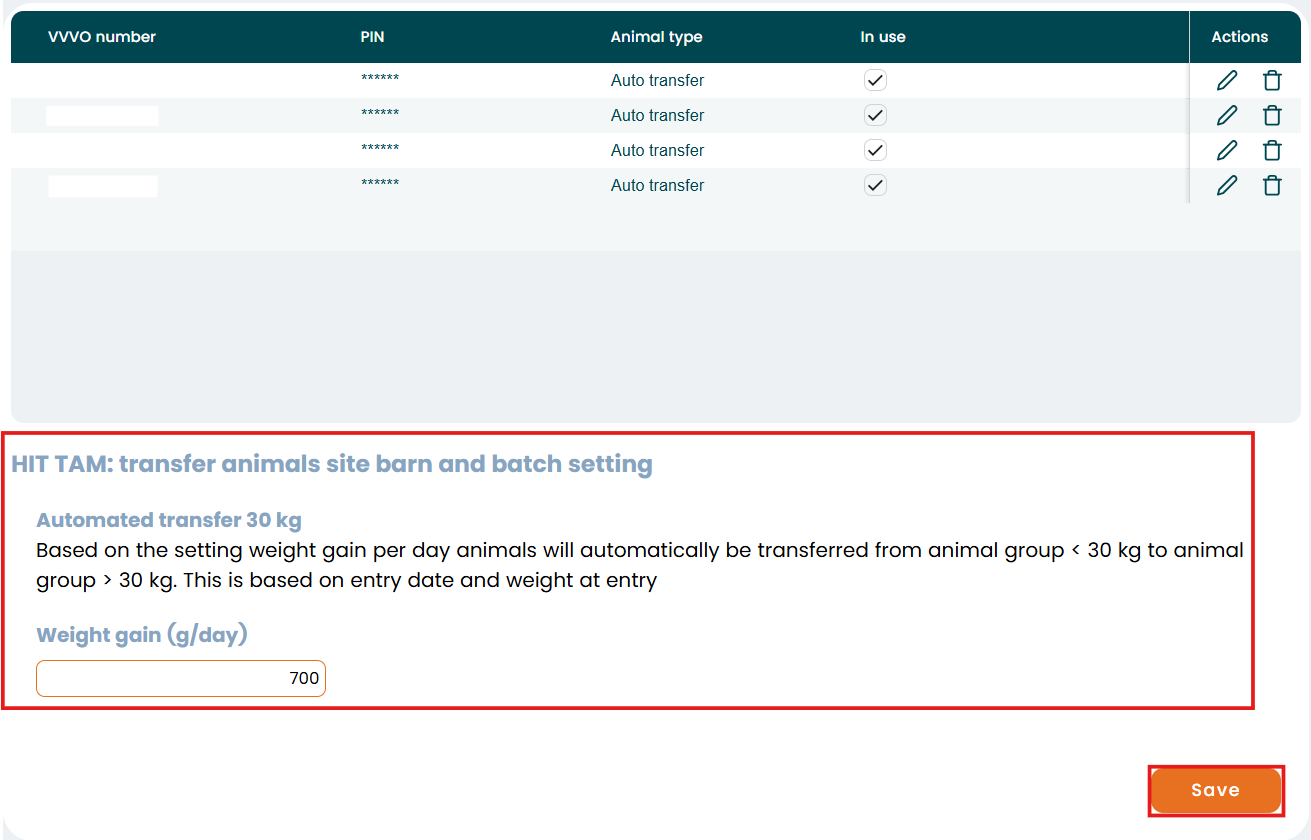
"Auto transfer" -> the program will automatically change the animal type based on the weight gain from Weaners to Finishers. Please note: That this only suitable for a all in / all out production. To use the automatic transfer between both pig types activate the function "Automated transfer 30 kg" and select a weight gain (g/day).
In the "Data exchange" menu you can manage the HIT/TAM function.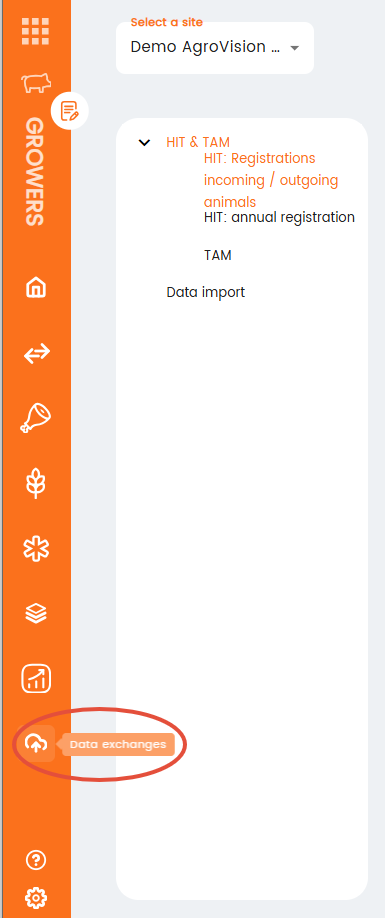
There you will see the HIT & TAM section with all the necessary data for the exchange to Hi-Tier and Antibiotic-Database.

AgroVision Growers exchanges:
- HIT: all incoming and outgoing animals (excluding dead pigs) per VVVO number
- TAM: all incoming and outgoing animals (including dead pigs) for the pig types "piglets <30 kg" and "pigs >30 kg" per VVVO number.
Was this article helpful?
That’s Great!
Thank you for your feedback
Sorry! We couldn't be helpful
Thank you for your feedback
Feedback sent
We appreciate your effort and will try to fix the article