For creating or managing locations go to "Settings" menu and select "Site information". There in the "Production" section you can choose different options.
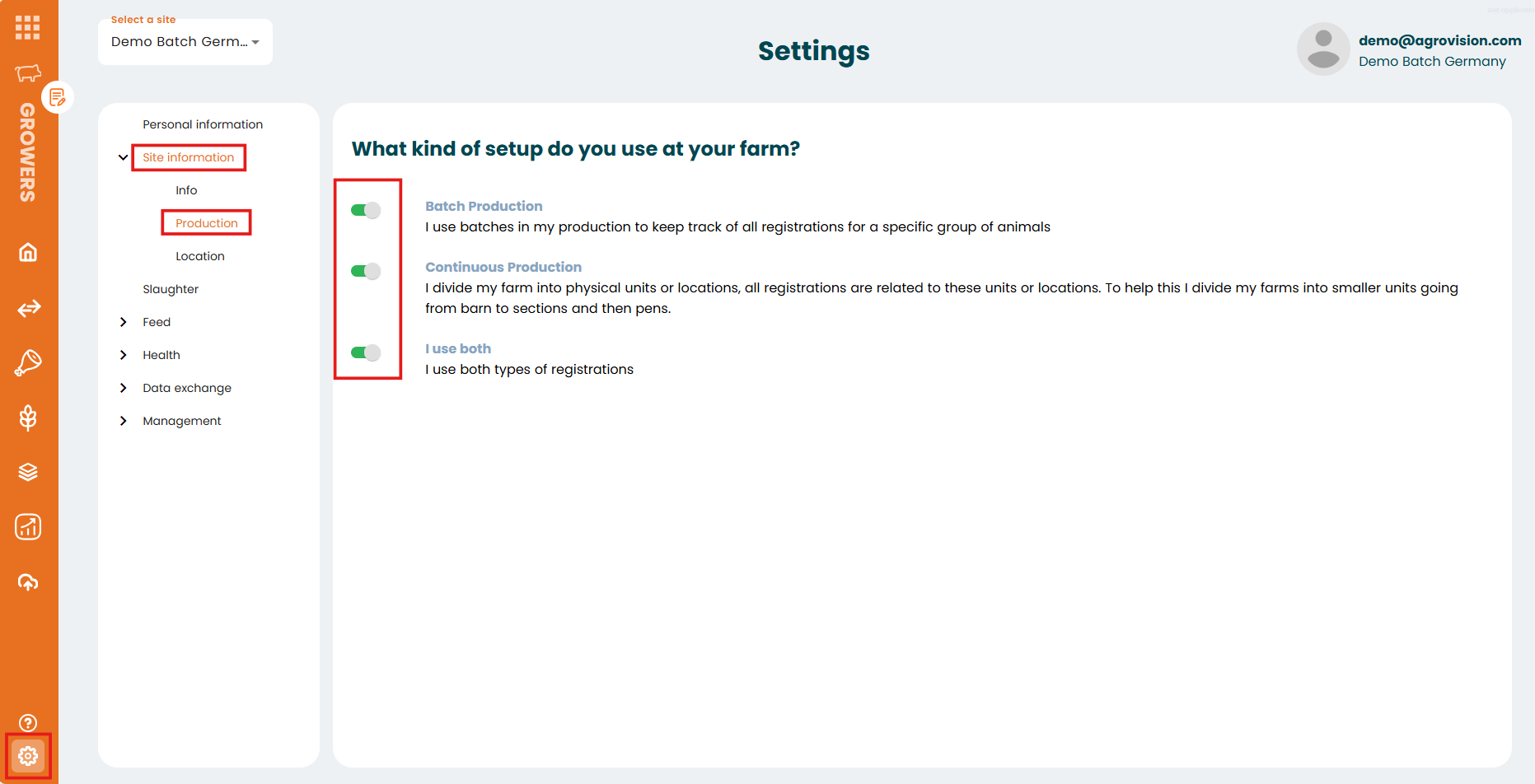
When the "Continous Production" option is active you will be able to create different locations inside your site in the "Location" section within the site information menu. There are 3 levels of hierarchy. First one is the "Barn", you can create as many barns as you want clicking in the "Add barn". Inside each barn you can create "Sections", clicking in the "Add section" button you can add new ones. Finally, inside each section you can create "Pens" with the "Add pen" button.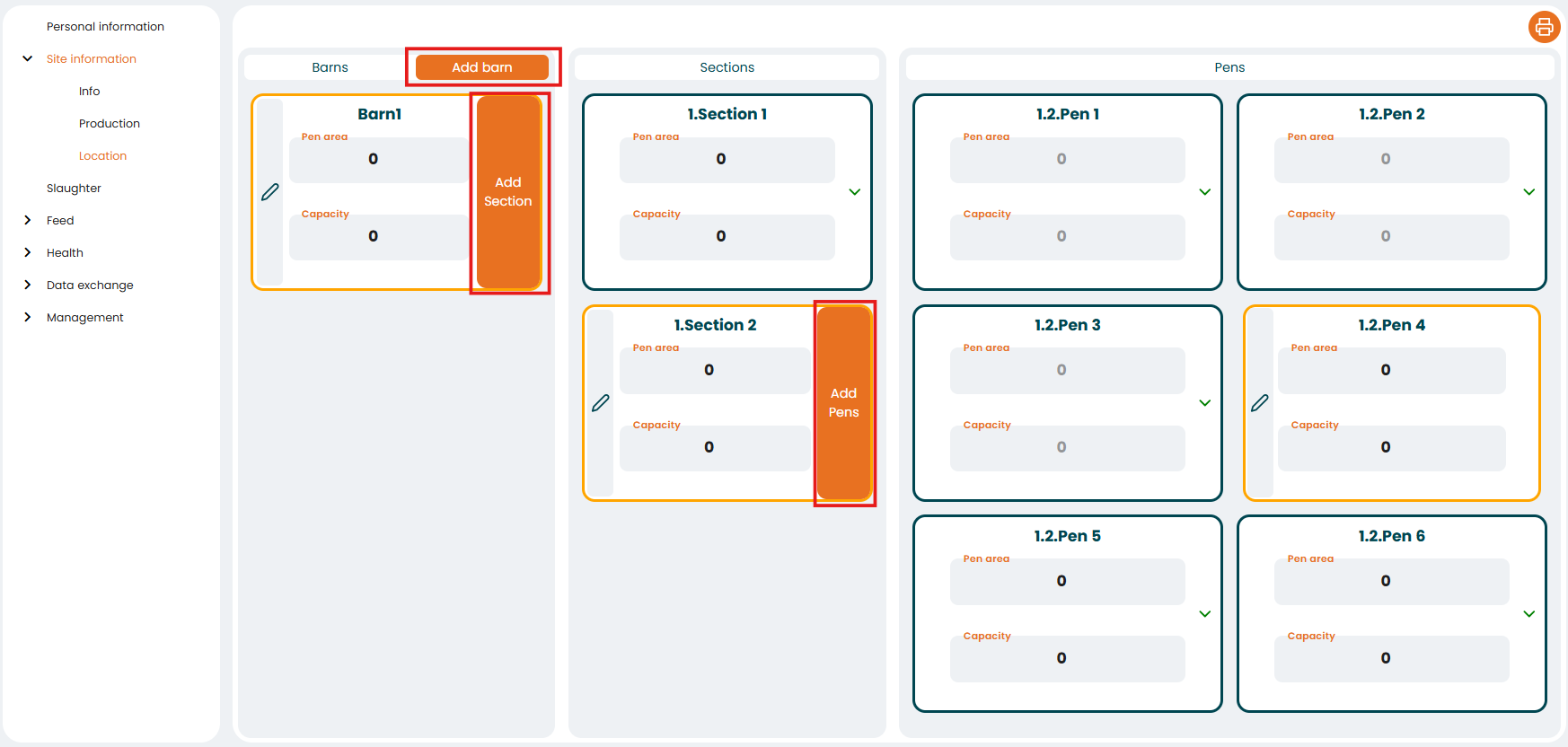
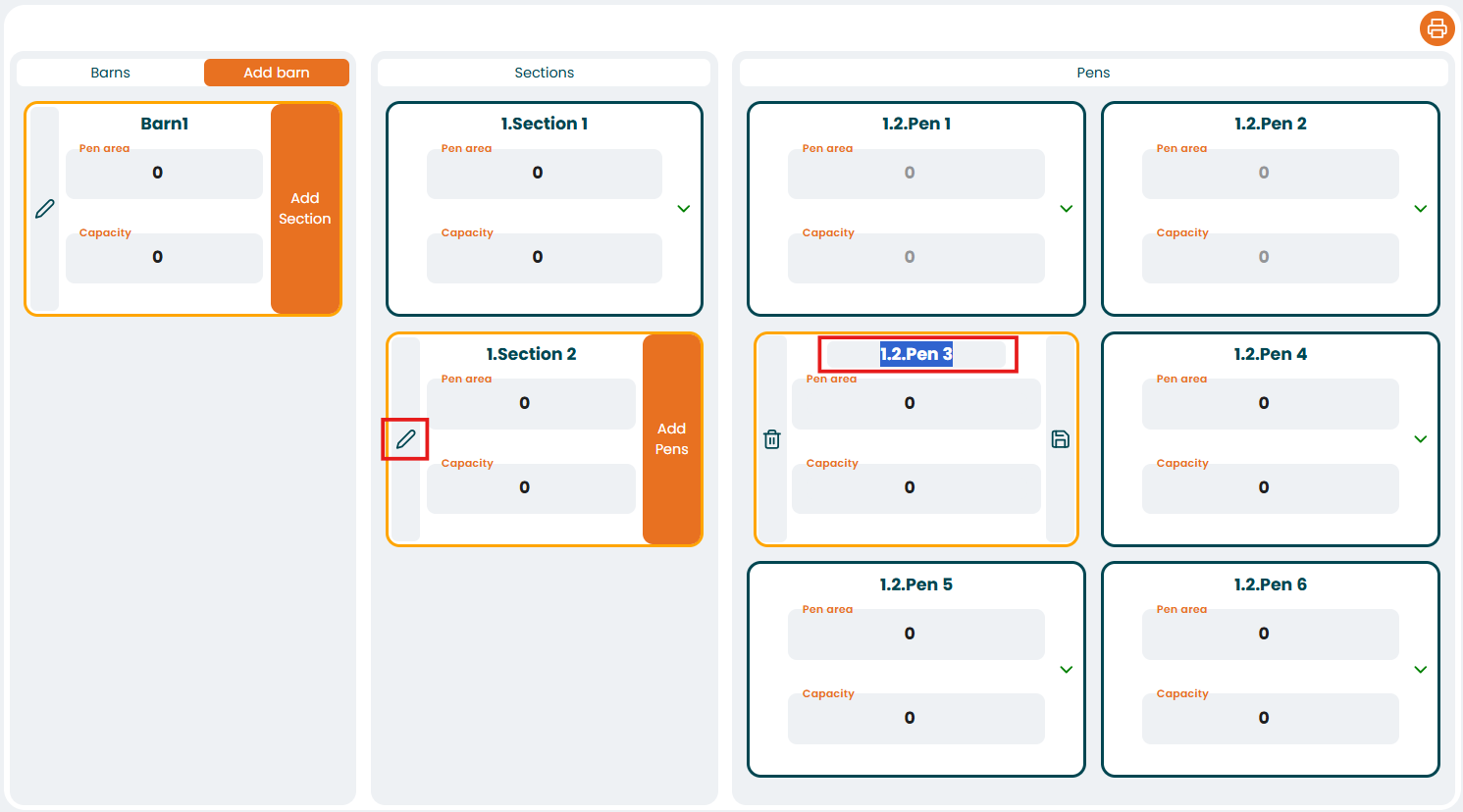
The name of any of them is editable clicking in the pen icon.
Was this article helpful?
That’s Great!
Thank you for your feedback
Sorry! We couldn't be helpful
Thank you for your feedback
Feedback sent
We appreciate your effort and will try to fix the article